Built by a PE teacher for real run days
Track Laps, Mile Runs & PACER Tests Without the Clipboard.
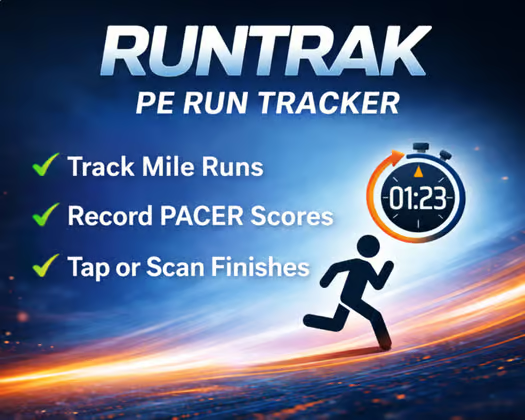
RunTrak is a PE lap tracker and mile run tracker built for real physical education classes—so you can record student finishes in seconds instead of managing paper, stopwatches, and cleanup later.
Tap or scan students as they finish. RunTrak organizes results automatically in your Google Sheet, tracks student progress across the year, and keeps recording when Wi-Fi drops.
One-time purchase • No separate accounts • Teacher-owned Google Sheet • Use it all year
The problem
Tracking an entire PE class should not feel chaotic.
Whether students are running laps, completing a mile, or taking the PACER test, teachers should be able to focus on students—not scramble with clipboards, stopwatches, and manual spreadsheet cleanup after class.
What teachers are still doing
- Tracking finishes on clipboards
- Managing stopwatches while students cross
- Entering results into sheets later
- Using tools that were not built for PE class flow
What that causes
- Missed finish times at the line
- Extra work after class
- Less visibility into student progress
- More chaos on run days
PE lap tracking
A PE lap tracker built for whole classes
RunTrak gives PE teachers a faster way to track student laps and running results during class. Record finishes as they happen, keep each student connected to the right result, and build a running history you can use to show progress over time.
Track student laps in real time
Use RunTrak as a student lap tracker for running workouts, repeated laps, timed runs, and class fitness activities without stopping to write down every result.
Keep mile and PACER data together
Use the same system for lap tracking, mile run times, PACER scores, and progress monitoring so your running data stays organized in one place.
PACER testing
Original PACER audio, timed directly with your results
RunTrak includes an original 20-meter PACER track with spoken directions, clear shuttle tones, cumulative lap counts, level announcements, and upbeat instrumental music. The timer starts automatically when the track says “Go,” so the audio and recorded scores stay together.
Use RunTrak audio
Download the track once on each device, then use it without internet. RunTrak keeps the timer at 0:00 during the introduction, begins scoring at the exact start signal, and announces the completed lap total after each tone.
Prefer your own PACER track?
Select Use my own audio and RunTrak stays silent. Press Start when your track says “Go,” and continue recording student dropouts the same way.
The RunTrak fix
RunTrak lets you track laps, record mile runs, and capture PACER scores in real time while keeping your data in the tool you already know: Google Sheets.
- Tap or scan finishes instantly
- No missed times at the finish line
- Results organize automatically
- Students can see progress right away
- One-time purchase — no subscription
How it works
Set it up once. Use it all year.
No installs. No accounts. Just your Google Sheet and a simple web app that works the way PE classes actually run.
1
Import your roster
Use the setup wizard to import your class roster and create your RunTrak web app.
2
Open TapCapture
Launch RunTrak directly from your sheet or another device, and start your run or PACER session.
3
Tap or scan finishes
Record results instantly as students finish. Results sync back to Google Sheets when you are ready.
Step-by-step setup walkthrough
This video walks you through setting up your RunTrak Google Sheet, including adding your roster, defining run types, and deploying your personal web app so you can start capturing runs from any device.
Quick setup for first-time users
Watch the first open setup guide, complete the wizard once, and you are ready to use RunTrak with every class.
First-time setup note: When opening your RunTrak app for the first time, Google may show a security screen. This is expected because the app runs from your own Google Sheet.
Simply click Advanced → Go to RunTrak to continue.
Built for real PE classes
Everything teachers need in one simple system
Track student laps, mile runs, PACER testing, progress, and finish-line results without adding more work to your day.
PE Lap Tracker
Track student laps and running results during class without clipboards or manual tally sheets.
PE Mile Run Tracker
Record mile run times quickly during class without juggling paper and timers.
PACER Test Tracker
Play RunTrak’s original synchronized PACER audio—or use your own track—while recording student scores and progress.
Student Progress Tool
Help students stay motivated by seeing improvement and beating their own best times.
Offline-Friendly
Keep recording even if Wi-Fi drops so class can keep moving.
Why teachers choose RunTrak
Built specifically for PE
Works with Google Sheets
No new software to learn
No subscriptions
Looking for an EZ Scan alternative?
RunTrak is designed around PE class flow, finish-line recording, and Google Sheets—not generic scanning or reporting tools. It can replace clipboards, manual spreadsheets, and more expensive systems.
FAQ
Common questions from PE teachers
Everything you need to know before using RunTrak in class.
Do I need to install anything?
No. RunTrak works through your browser and Google Sheets—no installs or extra accounts required.
Can I really use this during an active class?
Yes. RunTrak is built for real PE class flow, so you can record finishes quickly as students cross.
How long does setup take?
Most teachers can get set up in 15 minutes using the setup walkthrough. Once it is ready, you can use it all year.
Do I need to be tech-savvy to use it?
No. If you can use Google Sheets, you can set up RunTrak. The walkthrough guides you step by step.
What happens if Wi-Fi drops?
You can keep recording finishes! RunTrak is built for offline priority. Load the page once while you have internet, run classes all day, then sync results back to your sheet when you are ready.
Does RunTrak include PACER audio?
Yes. RunTrak includes an original 20-meter PACER track that can be saved to your device for offline use. You can also choose to use your own audio track.
Is the Google security screen safe?
Yes. Google may show this the first time because the app runs from your own Google Sheet. Click Advanced → Go to RunTrak.
What do I get when I purchase?
You get the RunTrak spreadsheet, setup guidance, and the web app workflow needed to start capturing runs from your devices.
Can RunTrak track laps for an entire PE class?
Yes. RunTrak can be used as a PE lap tracker for running workouts and repeated laps, while also keeping mile run times, PACER scores, and student progress organized in the same system.
What devices can I use with RunTrak?
RunTrak works on phones, tablets, laptops, and other devices with a browser and a Google account.
Make run days simple again.
Track laps and times faster, reduce chaos, and help students see real progress with a system built for PE teachers.
One-time purchase. Set it up once and use it all year.